
How it works
One loop, four steps, and a person in the middle of it. This page describes exactly what happens to a file from the moment it arrives to the moment the report is shared.
The loop
- Connect a OneDrive folder or upload a file. You choose, per folder, what ArcMichael may read and whether it keeps the source documents.
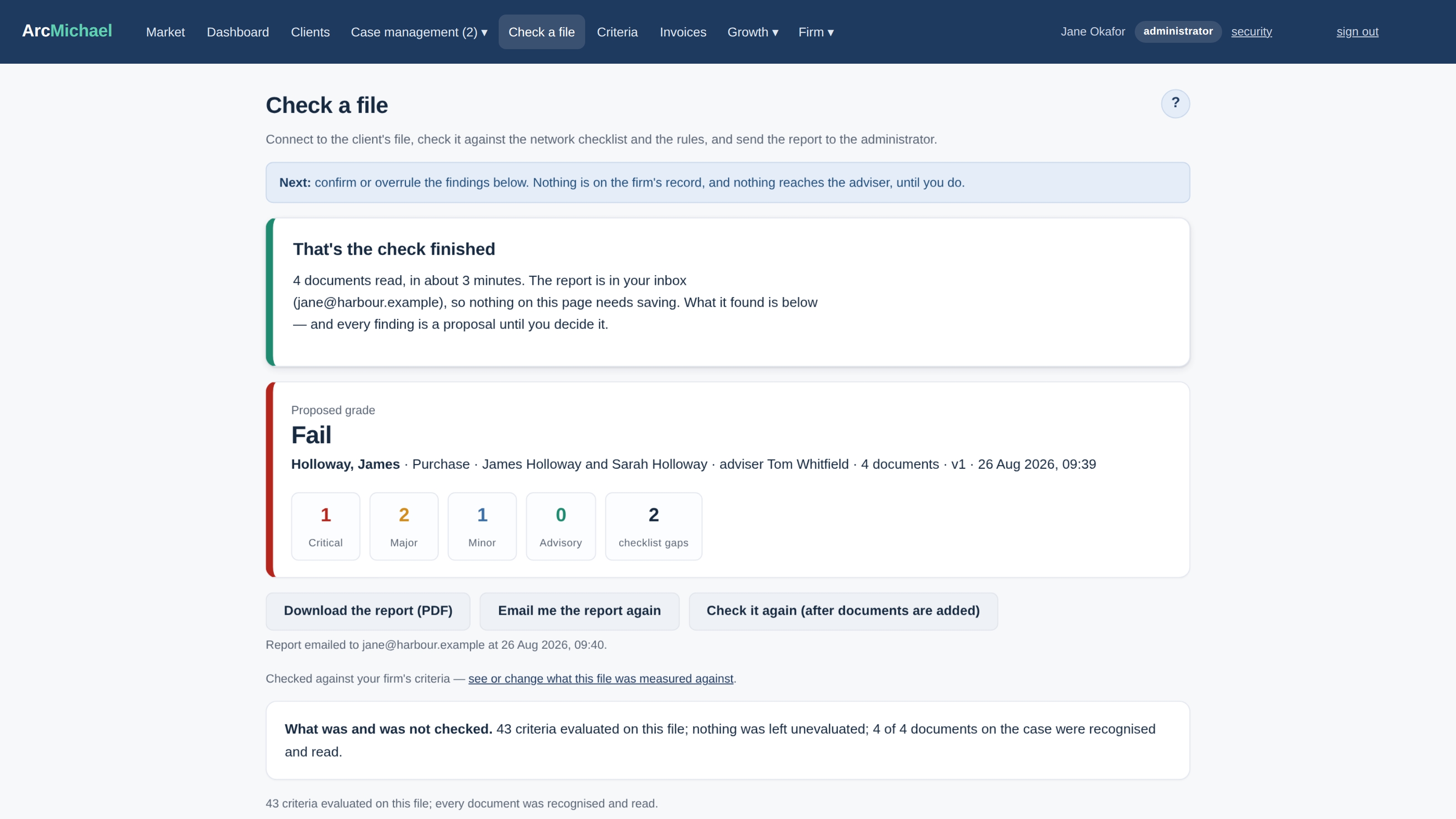
- ArcMichael reads every page and produces proposed findings: Critical, Major, Minor or Advisory, each with a rule reference, the evidence and a suggested resolution.
- A named person at your firm confirms or overrides each finding. Every decision is logged with who made it and when.
- A branded report is generated - your logo, your firm details, your FCA reference - and shared with the adviser when you approve it.
Getting files in
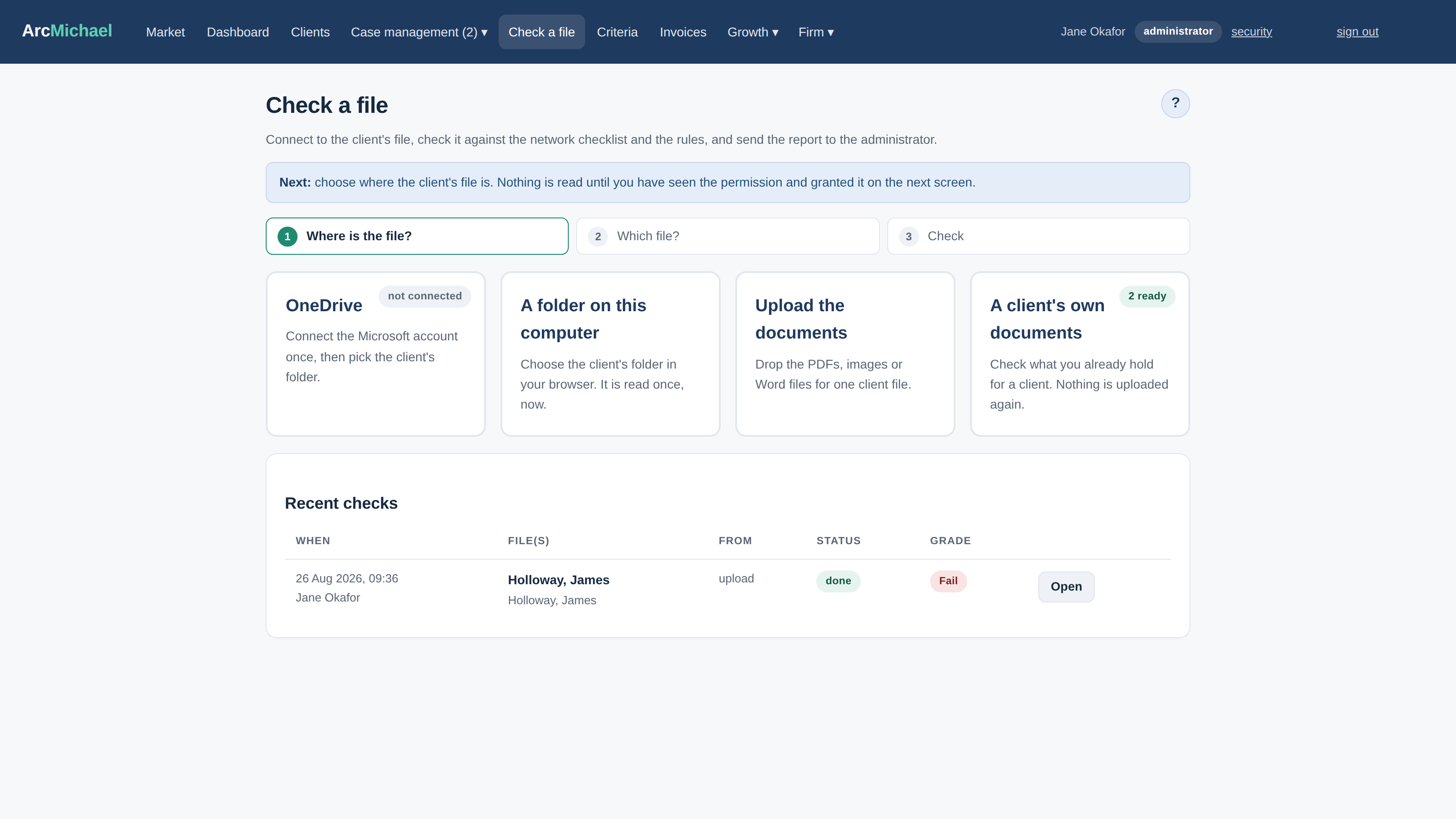
There are three ways a file reaches ArcMichael. Drag a file or a whole folder into the browser. Connect a OneDrive account and grant access to specific folders, one at a time, with the grant recorded. Or, from version 1.2, run the signed desktop connector that watches the folders you choose. In every case ArcMichael reads only what you have pointed it at, and says so before it starts.
Upload
Drag files or a whole folder into the browser. PDF, JPEG, PNG, HEIC, DOCX, XLSX, CSV and email files are accepted, checked by content rather than by extension, and classified as they land.
OneDrive
Connect a Microsoft account with read-only access (our Microsoft publisher verification is in progress; until it completes the consent screen shows an unverified-publisher notice). Browse your OneDrive inside ArcMichael and grant access folder by folder. Each grant is a recorded, revocable consent.
Desktop connector
Planned for version 1.2: a signed connector for Windows and macOS that watches the folders you choose, with the same per-folder consent record. Until then, browser folder upload does the job without installing anything.
What happens to the documents
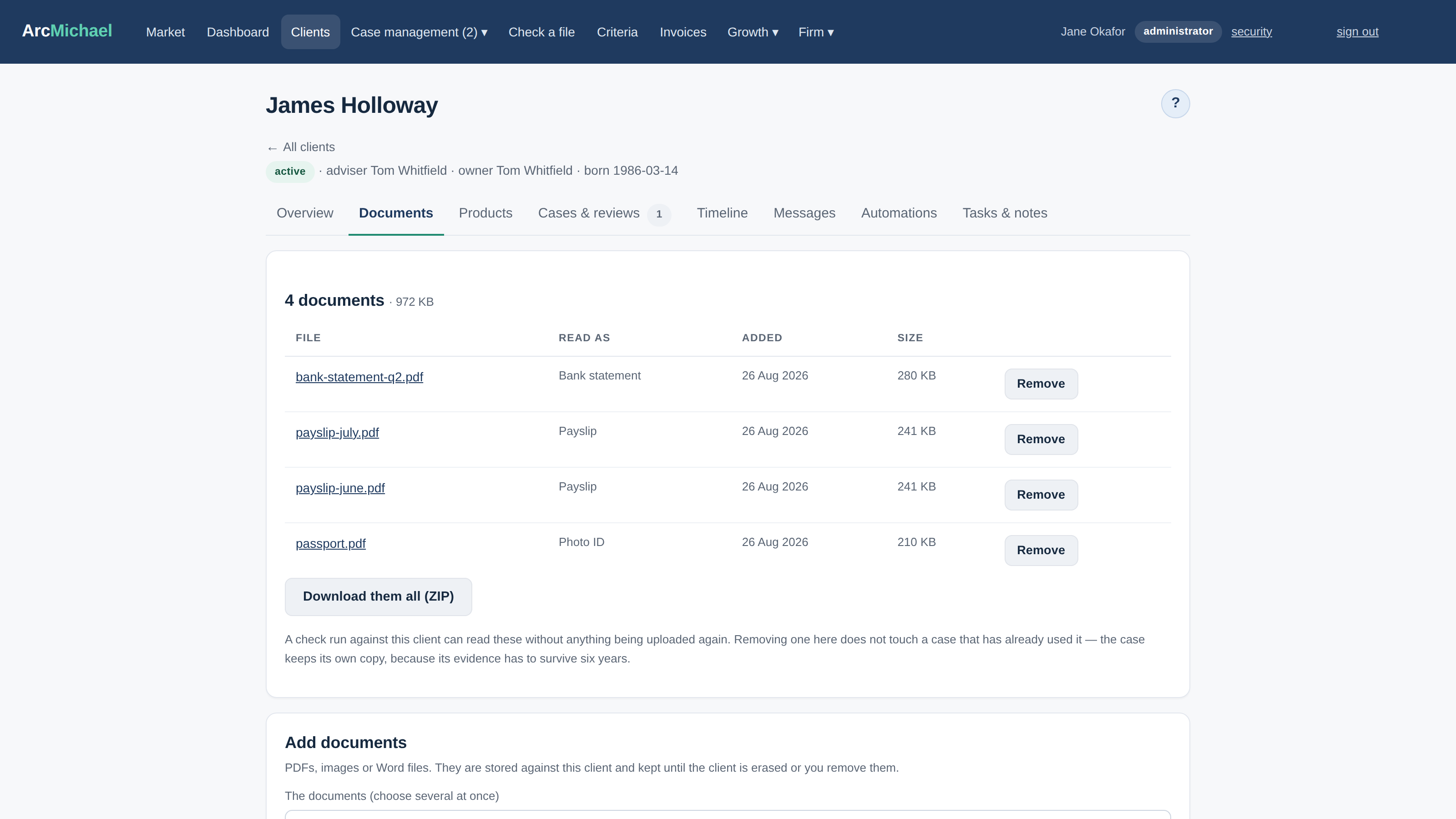
You choose what happens to the source documents. In "analyse and discard" mode the originals are deleted as soon as the review completes; ArcMichael keeps the document hash, the extracted fields, thumbnails of the pages it cited and the findings. In "retain" mode the originals are kept under a retention class you set (six years by default for compliance evidence) and purged at the end of it, with the purge logged. The default for a new firm is to keep the evidence and delete the source files 30 days after the review is shared.
Analyse and discard
Source files deleted when the review completes. Kept: document hashes, extracted fields, thumbnails of the cited pages, the findings.
Retain under schedule
Source files kept under a retention class you set, six years by default for compliance evidence, then purged with the purge logged.
A person decides
Nothing leaves the queue until a named person at your firm has looked at it. Findings arrive as proposed. The reviewer confirms, overrides with a reason, or marks resolved when the adviser fixes the file. A second run after remediation produces a diff: fixed, new, remaining. Every decision is written to the audit ledger with who, when and from where, and the report names the approver.
ArcMichael supports your compliance process. It does not replace your judgement, and you remain responsible for the advice you give and the files you submit.